

How it works
Step 1: Download the web app
Download the ByBanko web app via the link or QR code to the install page.
Step 2: Create an account
Once you've downloaded the web app, you need to create an account. It’s free.
Step 3: Choose a city
Select the city you want to explore.
Step 4: Pick a board
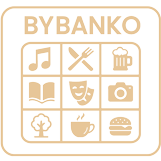
Each board contains grids with different experiences or places. The number of grids varies from board to board. This is shown in the info text before you select the board.
Step 5: Complete the grids
Visit the grids and complete the activities.
Step 6: Scan the QR code
Scan the QR code associated with the grid.
Step 7: Get a full board
Once all grids are completed, you get a full board of experiences. BINGO!
A full board gives you access to enter raffles for local prizes.


